288. Meeting Kittens

The cover was taken over the weekend when we went to Qiao Village for lunch. Right at the door we saw two kittens basking in the sun, looking very comfortable and not afraid of people at all.
Down-to-earth tech I come across each week, picked out and shared here. Follow the newsletter to get updates.
Trending Tools
My 21 AI Coding best practices for 2026
https://tw93.fun/2026-10-29/practice.html
What would it look like if I distilled my AI Coding experience into a set of best-practice rules everyone could reuse? So yesterday I spent the whole afternoon on exactly that, writing and tweaking it by hand over and over, and now it’s yours, something you and your Agent can learn from together.
6 Chrome extensions I use all the time
https://github.com/tw93/Maple
Maple Bookmarks and Maple NewTab are ones I made myself: the first lets me hide the bookmarks bar and pop bookmarks up with a shortcut, and the second turns the new tab page into a painting a day. Then there’s Minimal Theme for Twitter, a must if you use Twitter, PWA Install Block, which hides the PWA button in the address bar, uBlock Origin Lite, which I think is the best ad blocker with the best performance, and WebRTC Control, which controls WebRTC and helps you better hide your real IP.

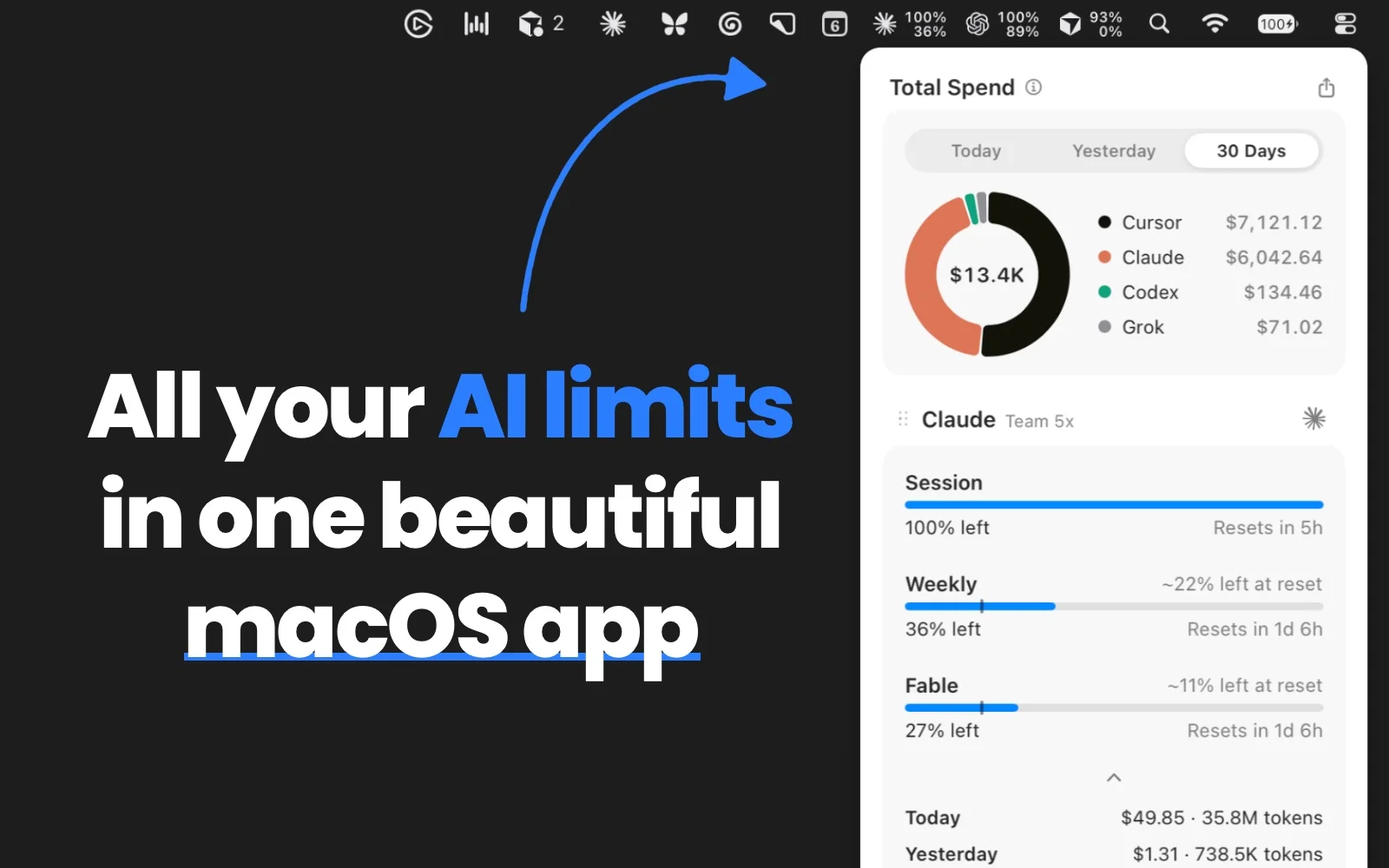
OpenUsage: another menu bar tool for checking Agent quotas
https://github.com/robinebers/openusage
I had a look and I think it’s quite pretty and clean. I don’t use it much myself, but if you keep trying these tools, give it a go.
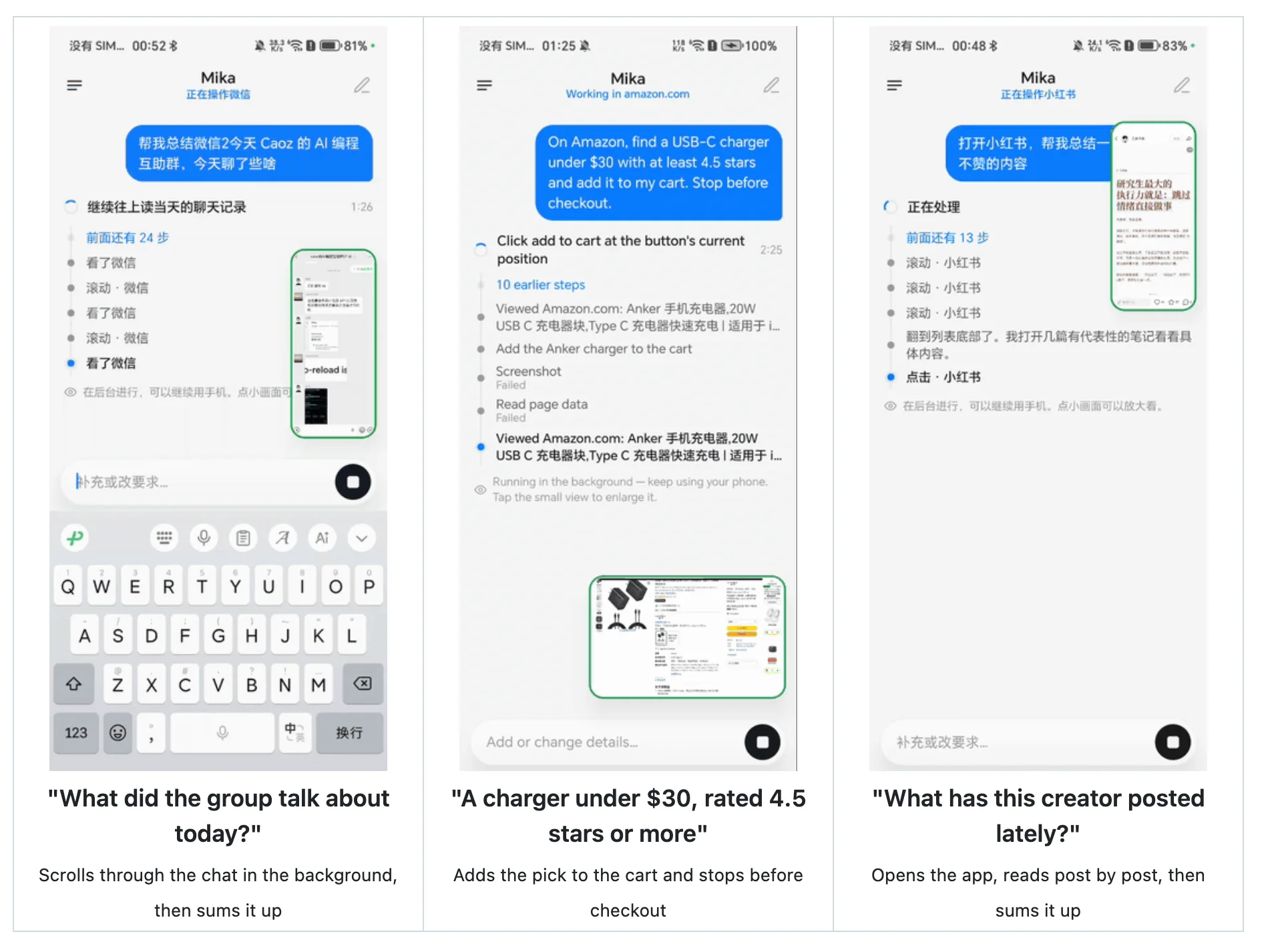
Mika: an on-device AI Agent for Android
https://github.com/wangzan101/Mika
On-device Agents for Android have slowly been multiplying lately, partly because opus 5.5 has gotten stronger. This one doesn’t take over your screen, and instead calls Android’s own features in the background to get things done for you.
HackerTube: a YouTube recommendation homepage made by Karpathy
https://hackertube.org/
Karpathy wasn’t happy with YouTube’s recommendations, so on Saturday he had Opus scan HN comments for video recommendations and turned them into HackerTube. It’s built from 40,000 recommendation comments and took about 2 hours. If you like HN, take a look.

TokenEconomizer: cutting Token costs with experience-driven Agents
https://github.com/microsoft/TokenEconomizer
A plugin from Microsoft and Berkeley that uses the experience built up in your current repository to shrink your Agent’s Token context window. Worth a try.

Random Thoughts
How do you make yourself look less like a programmer?
This cracks me up, but friends often ask me how to make themselves look less like a programmer, and, with Double 11 coming up, what clothes to buy to put a look together, hahaha, never saw that one coming. So I’m sorting my thoughts out here to share with you, they might come in handy.
First of all, I don’t think the first step is buying clothes. Instead, look up a good barbershop nearby, the kind that costs about double what you used to pay, and book a stylist. Ask what hairstyle suits the shape of your head, have them design something for you and give you a proper cut. No need to dye or perm. I think this is actually the cheapest, best-value way to look a bit fresher and more comfortable. If it doesn’t work out, try a few more stylists, or ask a friend whose haircut you like where they go.
The second step is buying clothes. Listen to me on this, really: for clothes you wear outside the house, try not to pick Uniqlo or MUJI. A few years ago I was into minimalism and bought a lot of MUJI, and now it looks like an old man’s wardrobe, unless you look like Takeshi Kaneshiro, in which case you can wear anything. Uniqlo in particular is great value, but the cut is honestly average and it’s hard for it to make you look good. If you don’t know which brand suits you, really, really don’t shop online. Go walk around a mall instead, find a shop that looks good from outside, go in and ask the staff to suggest an outfit, or bring your girlfriend and let her help you choose. Trying clothes on in person matters a lot, because you can see what goes underneath, what goes on top and the trousers all together. It makes a big difference, and it’ll give you a lot more confidence too.
On choosing clothes, I used to make a mistake: I really liked brands like Adidas Originals and Converse. In recent years I feel the Originals designs have gotten less and less good-looking, and Converse shoes are heavy and make my feet hurt. Clothes and shoes have to be comfortable first, because you only want to wear them if they’re comfortable, otherwise they just sit there gathering dust. That’s also why you need to try things on in person. Over the last two years I’ve bought quite a lot and tried some pretty good brands, so if there’s a store near you, go try them.
On brands, I don’t really like the very expensive ones, they don’t feel worth the price. I remember one winter I wanted a jacket and tried one on at Kolon Sport. It looked good, then I saw the price was over 3,000 yuan, and I honestly don’t know where they got the nerve. Way out of my budget. Of course, I personally feel LULU isn’t for programmers either, it’s for people who actually do yoga, it’s expensive, and the stores smell too strong for me. Besides the very expensive stuff, I also wouldn’t buy lots of very cheap clothes, they just end up wasting space. Go for things that look a little pricey but are really well made.
If you like outdoor and sporty stuff, I really recommend trying Anta Champion. I recently bought 2 pairs of their trousers and a pair of shoes, all very comfortable to wear, without the old logo, so they can totally stand in for Arc’teryx, and the fit is great. For winter clothes you can try Columbia. It’s an older brand, not as trendy as today’s marketing-driven brands, but I think it lasts and looks good for a long time. For proper outdoor gear, I highly recommend Montbell. There aren’t many stores in China, but if you travel to Japan you have to check it out. It’s not expensive, the clothes are comfortable, warm and durable, and the fit suits Asian bodies. If you want to go even more outdoorsy, I recommend Patagonia, which I think has real style and great quality. If you still can’t find anything that suits you, have a look at Jordan, Nike’s sub-brand, some of their stuff is pretty good too.
If you prefer casual wear, besides skipping Uniqlo and MUJI as I said above, I also wouldn’t buy the kind of minimalist niche-looking clothes you see in malls. I’ve been burned: a bit pricey, poor quality, they feel good when you try them on and then look worn out after a while. For casual wear I also strongly recommend trying things on in person. If you want jeans, go to Levi’s and have the staff recommend a pair for your body. If you want something a bit more formal, look at Ralph Lauren, Lacoste, Tommy, COS and Timberland. They may look a bit grown-up, but you can usually pick out something that suits you, and I think the quality is good across the board. Try on lots of things and find the ones you like best of all.
For shoes, comfort still comes first, then whether they look good and go with the clothes you usually wear. I used to like some of Timberland’s shoes, and a few pairs from Descente are very comfortable too, though their clothes are too expensive to recommend. Some of Anta Champion’s running and sports shoes are very comfortable and durable. I also think Keen has a few good-looking pairs, the ugly-cool kind, not soft, but I find them quite comfortable to wear in winter. Asics has some good-looking, comfortable shoes worth checking out too. I’ve never bought Hoka, Salomon or On, though. Every time I wanted to, I tried them on and they didn’t really suit me, so I gave up. You can of course try them, but I find them all a bit pricey.
Finally, the most effective thing is still not to get fat. In middle age, not being fat, not losing your hair and not being greasy, showering and washing your face every day, changing your clothes every day, just being a bit cleaner, matters more than picking clothes. Then put on some sunscreen when the sun is strong, sleep well, drink plenty of water, and find a sport you like. Mine is cycling, about 10km almost every day, which feels great and isn’t as boring as other sports.
Rambling finally done. It’s a bit like treating yourself as a product too: how do you rework your product so it looks comfortable and not awkward? It’s pretty much the same thing.
Playing cooking blogger to teach you how to make really tasty hairy crab
Today I’m playing cooking blogger to teach you how to make really tasty hairy crab, how to steam it and how to mix the soul of it, the dipping sauce. Haha, this time mine turned out really delicious.
First, if you have a pressure cooker at home, you really, really have to try steaming in it, ideally one with a rack that holds things up. If you don’t have one, a normal steamer works too: water below, crabs on the rack above. When the crabs arrive, soak them in water for 10 minutes first, then scrub them clean with a brush.
Here’s everything you need to prepare: two handfuls of scallions, a big piece of ginger, 2 cloves of garlic, a small bottle of crab vinegar, a few small limes, 2 bird’s eye chilies, light soy sauce and white sugar. All of these get used.
To steam the crabs, add cold water until it’s about a third of the way short of the rack, and stir two spoonfuls of salt into it. Then put the rack in, cut the scallions into lengths and the ginger into slices, and lay some on the rack first. Place the crabs belly up, put a slice of ginger on each and some scallion on top, then drizzle a small circle of cooking wine over them to take away the fishy smell. Put the lid on, bring it up to steam on high heat, then steam for about 5 minutes. Without a pressure cooker it takes roughly 15 to 20 minutes. Then let it sit for about 3 minutes until the pressure releases on its own, and you can plate them.
While the pressure cooker is going, you can mix the sauce. If you like it spicy, chop 2 to 3 bird’s eye chilies; if not, just leave them out. Then mince a little scallion, garlic and ginger, add a spoonful of light soy sauce and half a spoonful of sugar, and pour in crab vinegar to cover it all. Last of all, and this is the key part, the small limes: cut one open a little, then squeeze the juice into the sauce bowl by hand. If you like it sour, squeeze in 3; if not, one is enough. It adds a really special, delicious sourness.
Finally, when the crabs come out piping hot, snip off a leg, push the meat out, dip it in the sauce and take a bite. It’s seriously satisfying. You really have to try the pressure cooker plus lime version of hairy crab.

|

|
My experience speeding up GitHub CI
With AI, writing code has gotten a lot faster, but verification still isn’t fast, especially running Actions CI on GitHub. This afternoon I spent some time thoroughly optimizing the CI for Mole, Kaku and Pake, and the results are great, so I’m sharing them with you. You can copy the following straight to your Agent and see how much time it saves you.
Speed up this repository's GitHub Actions, cutting run time as much as possible without dropping any necessary tests or feature checks.

1. First use gh to pull the last 50 runs, and split each job into three time segments, queueing, setup and actually running the tests, to look for patterns. Often the slow part is setup, not the tests themselves.
2. When a PR gets several pushes in a row, only run the latest one and cancel the old ones directly, using cancel-in-progress. Don't do this on main, though: every commit on main that gets released has to run in full.
3. Commits that only change the README and docs shouldn't trigger CI, which you can filter out with paths. Also, a skipped required check will leave the PR stuck and unable to merge, so watch out for that in advance.
4. Prefer the caching built into setup actions: turn on cache for setup-node, setup-go has it on by default, and use Swatinem/rust-cache for Rust. Note that each repository only gets 10 GB of cache, so don't put anything in it that won't be used.
5. Build twice locally in a row; the second build should take almost no time. If anything still takes time, something is definitely written wrong, for example a Dockerfile that COPYs the whole repository before installing dependencies, or a build script watching a file that doesn't exist. Remember to check for this kind of problem.
6. Download prebuilt tools directly instead of installing and compiling them on the spot with go install or cargo install, which wastes a lot of time.
7. Run jobs that don't depend on each other in parallel, delete needs that don't pass any data, and split the longest test suite across several machines.
8. Free accounts can run at most 5 macOS jobs at once, shared by all workflows, so it's better to move anything that doesn't care about the OS, such as formatting, lint and dependency audits, to Ubuntu.
9. Don't repeat work that's already been done, and don't do unnecessary things. For example, don't rerun checks another job already ran, and don't pull the whole Rust cache for a job that only builds the frontend.
10. After the changes, push and test how it runs there, look at the run times, find the patterns, then go over it again to fill the gaps and optimize until it's as good as it gets. Finally, give me a before and after comparison.