 286. Jingshan Shuangxi 中

The cover was shot with a drone while camping at Shuangxi in Jingshan over the weekend. The scenery was lovely overall, though I felt there were a few too many mosquitoes. Looking at all that green is nice, and I put the video near the end so you can take a look.
Down-to-earth tech I come across each week, picked out and shared here. Follow the newsletter to get updates.
Trending Tools
Mole for Windows is here too
https://mole.fit/windows
After about two months of development, the Windows version of Mole is finally here. I tested uninstalling, cleaning, updating, startup items and the registry across roughly 349 apps, and set up a ThinkPad for development, which was a lot of fun. Before the release I asked a few great users to help test, and they gave me a ton of suggestions, many thanks. The early-bird price is currently $15.2, and thanks a lot to everyone who bought the Mac version before, you can use MOLEAGAIN to buy it for $10. If you have a Windows machine, you’re very welcome to give it a try.
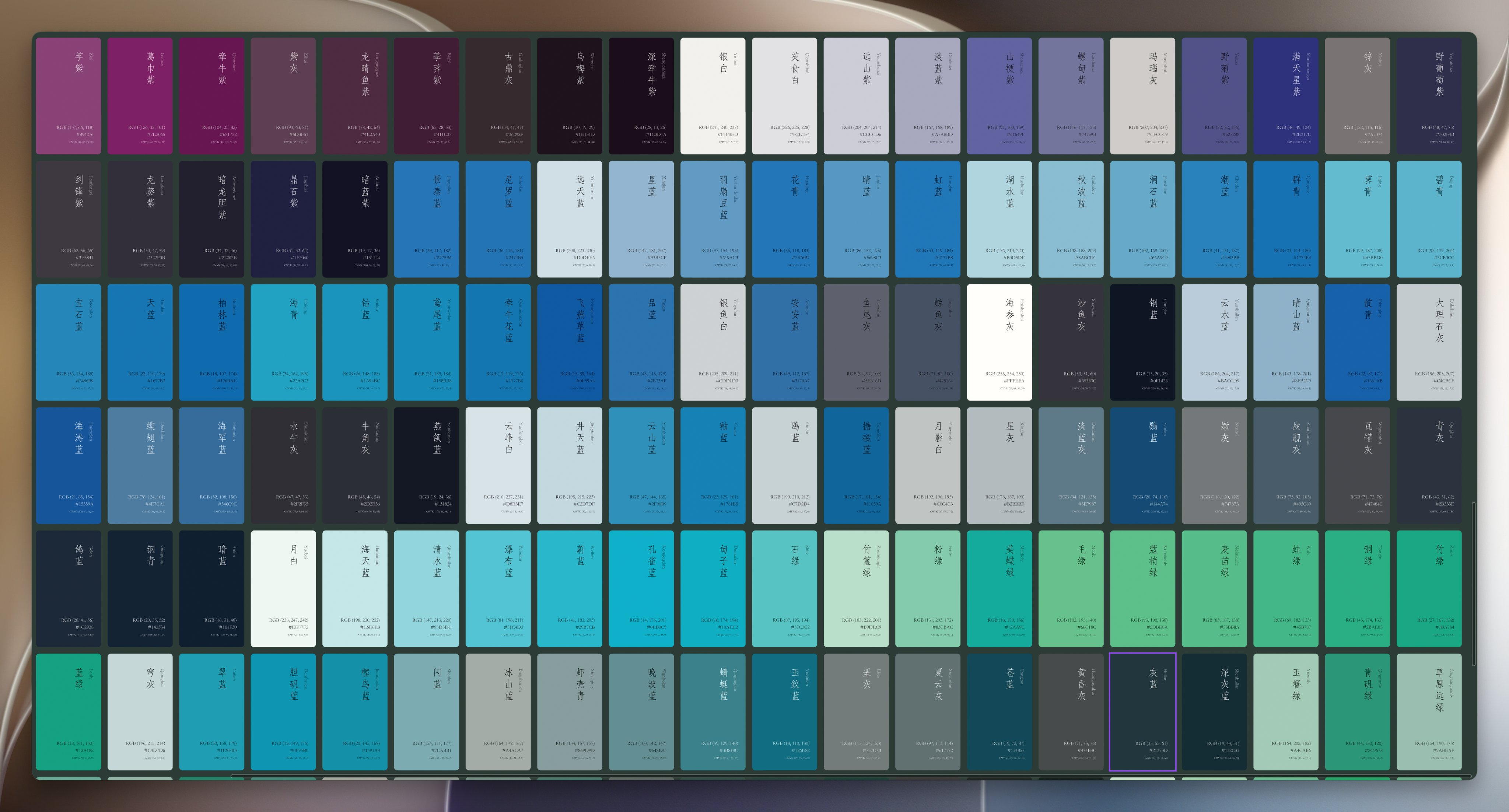
526 beautiful traditional Chinese colors
https://figma.com/design/5gJsBEyypBoGo48GFRcd4F
These colors are really nice, and I think quite a few of them are gorgeous. If you’re building a product and can’t find a good-looking color, try picking one from here.
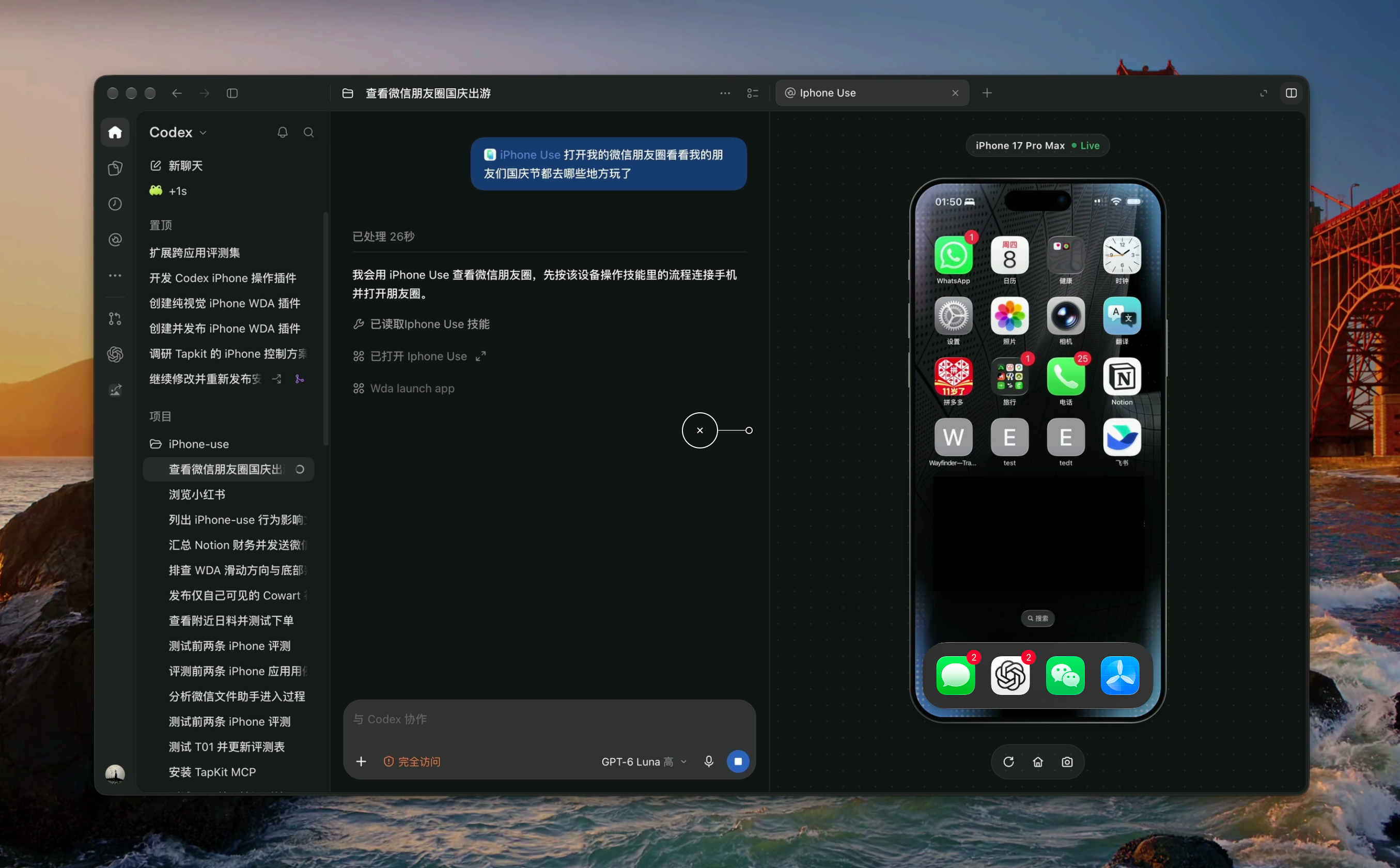
iPhone Use: let Codex operate a real iPhone over USB
https://github.com/zhongerxin/iPhone-use
Worth digging into, it’s kind of interesting. It lets Codex and WorkBuddy operate your real iPhone over USB. Describe the task in natural language and the assistant can open apps, read pages, tap, scroll, type text and tidy up lists, while showing the phone screen in a sidebar.
How to enjoy a clean, comfortable Twitter timeline
Here’s how to enjoy a clean, comfortable Twitter timeline without missing the high-quality posts from your friends. The prompt I gave the Grok Bot looks roughly like this, and you can play with it too. It does use up your existing X API quota, but I’m sure a clever person like you can find a way around that.
Every evening at 8 pm, put together today's picks from Chinese-language Twitter. Sources are the Chinese accounts I follow, plus Chinese accounts you think are good. Read posts only through the official X API, and dedupe against the previous day.

Layout:

- Start with "Today's main threads", 3 short sentences
- Give each person their own section with their name and @, with a divider between sections
- 2 to 4 points per section, formatted as "Bold topic: content + link to the original post", each point two to four sentences explaining what they said, the key details and the background
- End each section with one sentence of your own take
- Put scattered tools in a final "Small tools" section
- Around 10 to 15 sections, no dashes, few periods, no AI tone, just keep it simple and clear
Then every day I get this really useful message, which means I scroll Twitter less and can focus a bit more.

|

|
Just Looking Around
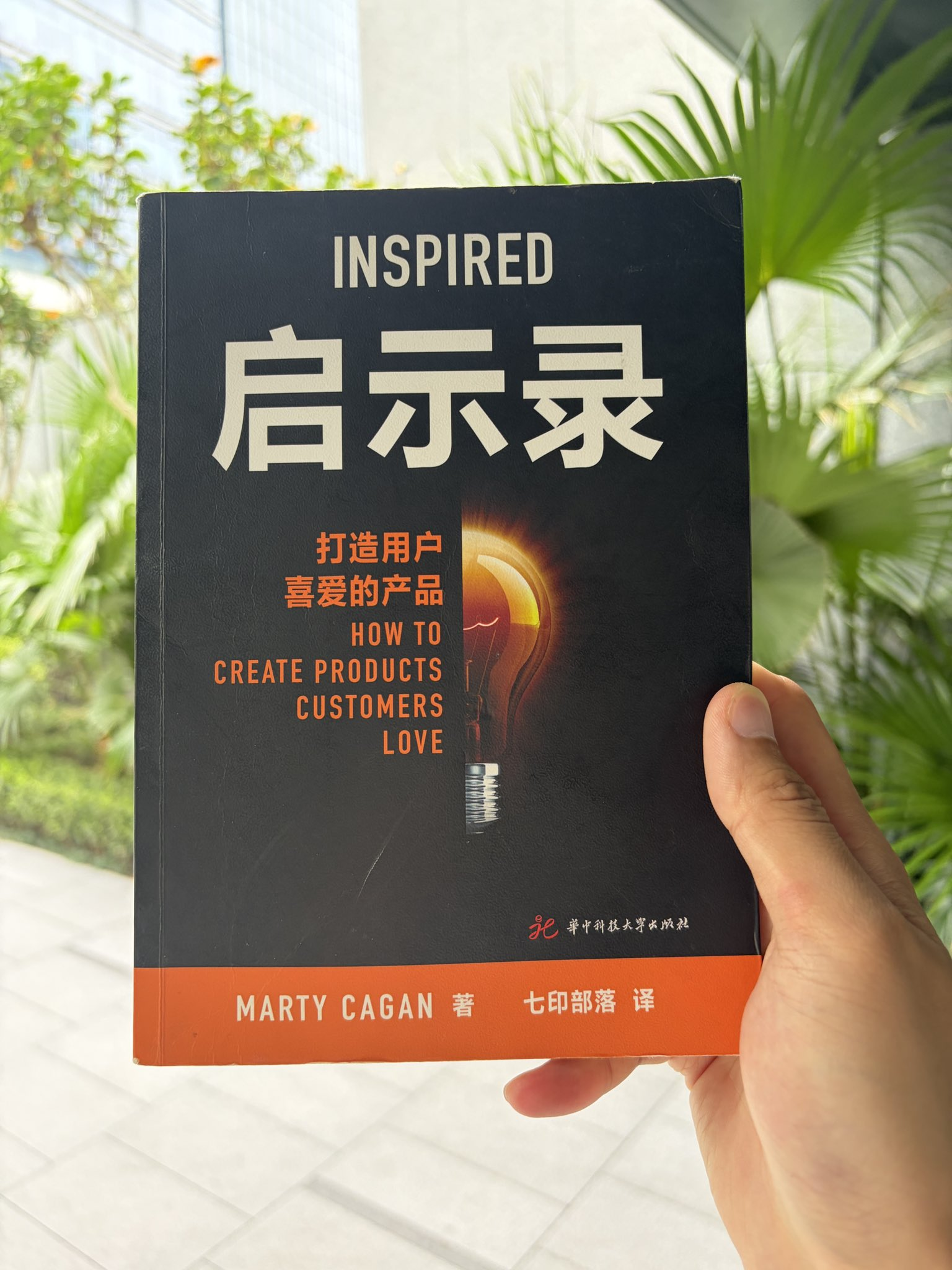
I recommend reading “Inspired”
In an era when AI can do everything, I really recommend engineers read this book. Every time I finish it I feel my skills level up. Today I gave this book to a former colleague, and I wish him well in his new job.
An aerial look at Shuangxi in Jingshan
Streams, green trees, rice fields, blue sky, distant mountains and biting mosquitoes.
Random thought: buy your Mac one tier above what you planned
My best-value purchase this year was the M5 Pro 16-inch with 48GB and 1TB that I bought in March. Compared with today’s price I’m nearly 8k yuan ahead, which was well worth it. But I’ve found that even 1TB isn’t enough anymore, and I should have gone for 2TB. Before AI, 512GB was plenty for me, and now I can’t even imagine that. A tip for anyone thinking of upgrading: buy one tier above what you planned, and if you need it, buy early, because buying early really does mean enjoying it early.
I finally couldn’t hold back and signed up for another $250 Claude account
I finally couldn’t hold back and signed up for another $250 Claude account, and now it’s finally enough. I want to chat about how I make full use of two Claude Max accounts plus one ChatGPT Pro account and still use them all up.
As I remember it, ever since ChatGPT 3.5, people playing with large models have generally fallen into two camps. One sticks with the best model available and just gets things done in one go, though it looks a bit “spendthrift”. The other uses whatever model has the best value at the moment, and through multi-model research and engineering tricks gets an average model close to what a good one would deliver, though that usually takes a bit more time.
I think both approaches are fine, it’s just a choice between different engineer personalities. I usually don’t have much time, and back when I was working on putting AI into real business use, I got into the habit of testing with the best model in the industry, so I had a baseline, knew how high the current models could go and could make better business calls. When Claude CLI came out in early 2025 and I experienced what a really strong model could do with code, I’ve stuck with choosing the best model available for my own work ever since. I went from trying one $20 plan, to two $20 plans, then one $125 account, then a $250 account, and now two $250 accounts, which I honestly never imagined. Before AI came along, I was the kind of person who found a few dozen yuan a month for an iQiyi TV membership too expensive, so it’s funny how willing I am to spend on AI now.
Right now for normal tasks in Claude I pick the faster opus 5.5 medium tier, and high for complex tasks. For Codex I default to GPT-6-Astra medium, because its other models really aren’t that great. That said, Codex’s computer use is genuinely good, so inside Claude I also use a tool called lcu to have it call Codex’s computer use, and both the speed and the results are a lot better.

Speaking of computer use and AI operating devices, this area is a lot of fun. I’ve been building some Windows software lately, so I bought Parallels Desktop and installed it on my Mac, and use computer use to drive a lot of its features. Writing code and the AI all stay in the Mac environment, while debugging and verification happen in the virtual machine. Then, to get something closer to the real thing, I got a ThinkPad X1, keep it on 24 hours a day and connect to it with UU Remote, so my Mac can use the remote terminal, ssh and UU to operate this real Windows computer really well, helping me do a lot of multi-environment testing and verification, plus acceptance checks for installing, uninstalling and cleaning all kinds of software. Beyond that, my Mac is also connected by cable to my small Android tablet, and with Android debugging the AI can operate this phone-like device really well too, opening apps to look things up and operate services that have no API or CLI, and playing with some fun stuff.
So it’s as if my Mac is my main development machine, but hooked up to it are a virtual machine, a Windows device and an Android tablet, plus the iPhone simulator that comes with Xcode. When I want to develop for Linux later, I could even install Omarchy inside Windows, and then the set would be complete. One benefit is that my AI working context lives on just one device, and when I’m out I use UU Remote to operate the Mac and do everything. I even felt UU Remote wasn’t great for typing on the command line, so I built a fun feature with Kaku myself that fully mirrors the Kaku on my Mac in the browser so I can operate it there. The experience is quite good, and I’ll release it for everyone to try later.
On one hand, having AI operate devices to verify all kinds of environments and test across many dimensions burns a lot of tokens. On the other hand, there really is a lot of development work. Usually there are 7 to 10 tabs of Agents running my tasks in Kaku, which is also why you see that I can clear out every issue on my GitHub, hahaha.
I also use the /loop feature for collection jobs, like gathering people’s suggestions and bug reports about my products from social platforms. I have the AI connect to my Notion and keep a list that collects all kinds of issues and suggestions with the context prepared in detail, then once my AI solves one it automatically marks it done and records how it was finished. Then there’s Waza, which you all know. Basically every week I use the best AI model to go through all my conversations, pitfalls and best practices, and distill them into this open-source Skills collection. That also eats a lot of tokens, but the upside is that it abstracts and distills things, so the collection keeps evolving on its own.
And for some of my own investments, bookkeeping and so on, I use AI automation to recognize, look up and tally all kinds of things. It saves me time and handles some information-organizing work for me, which is also really handy. So that’s how my accounts get used up. Feel free to share how you use yours.