 287. Hangzhou Osmanthus 中

The cover was taken on a walk after lunch one day, when I came across osmanthus in full bloom and it smelled wonderful. Hangzhou is really comfortable this time of year and great for walks, and you can smell osmanthus almost everywhere.
Down-to-earth tech I come across each week, picked out and shared here. Follow the newsletter to get updates.
Trending Tools
Harp: another good-looking sidebar-style AI terminal
https://github.com/dominikmartn/harp
This one is quite nicely made. It runs multiple Claude Code and Codex Agents in parallel, all in a clean, simple sidebar, so you always know which Agent needs your help to get work done.

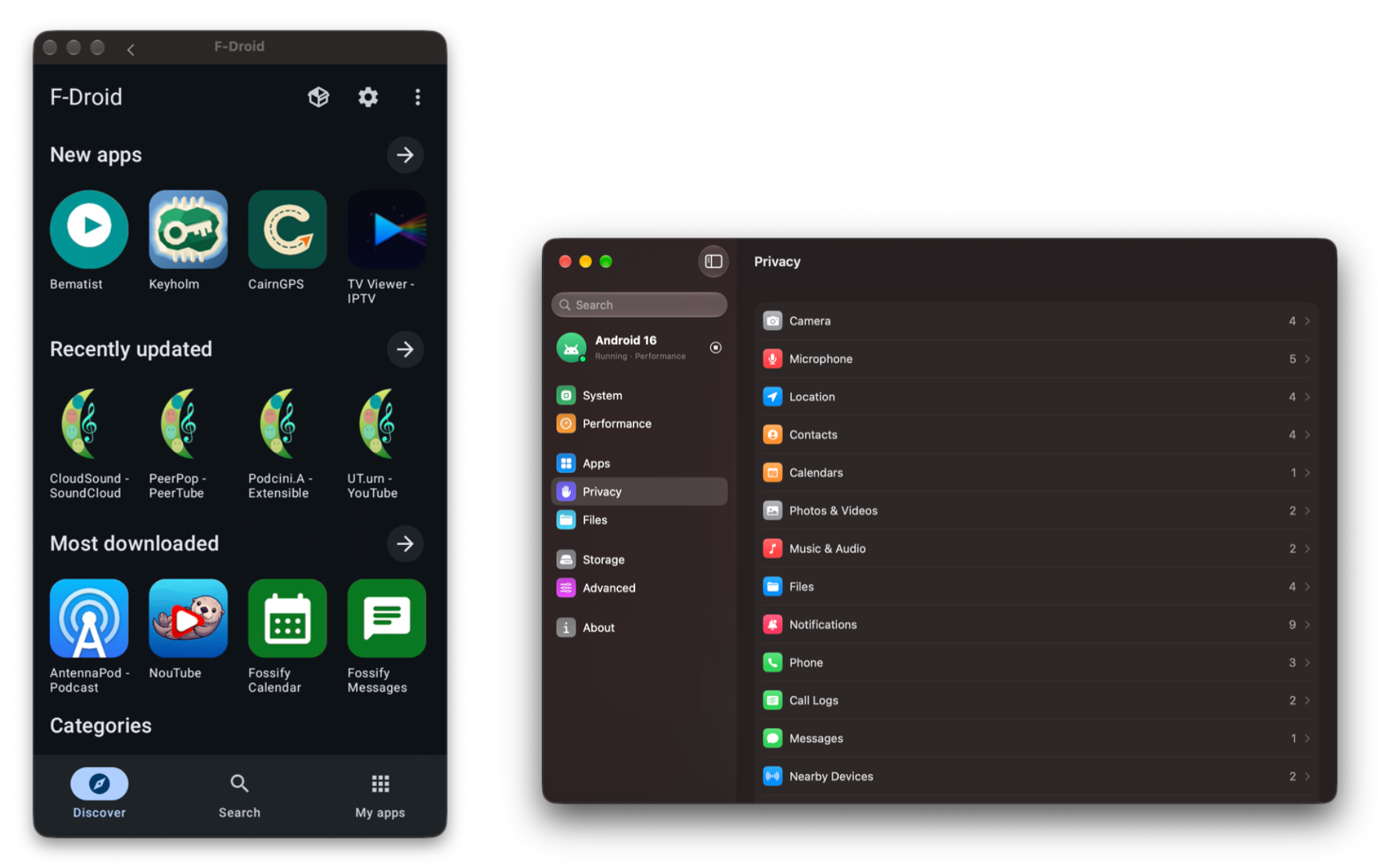
MacSubsystemForAndroid: run Android apps on a Mac
https://github.com/harkhowalia-1/MacSubsystemForAndroid
The official description is that it runs Android apps on a Mac just like Mac apps. If you’re curious, give it a try.
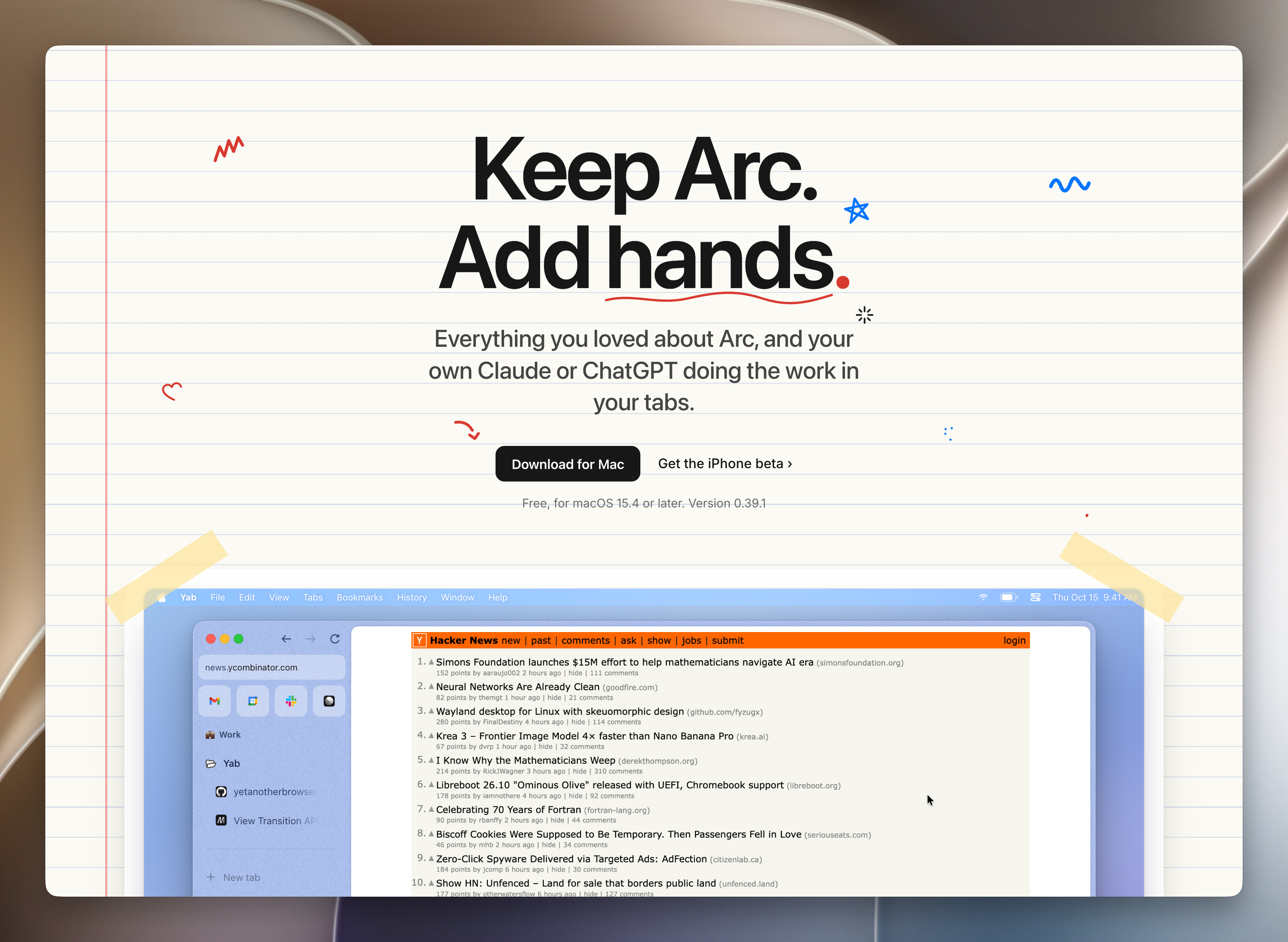
Arc is shutting down, so try this alternative browser
https://yetanotherbrowser.com/
It looks almost exactly like Arc and can import some of your existing stuff. Personally I still like Helium, the browser I’m using now, the most. If you can’t let go of Arc, give these two a try.
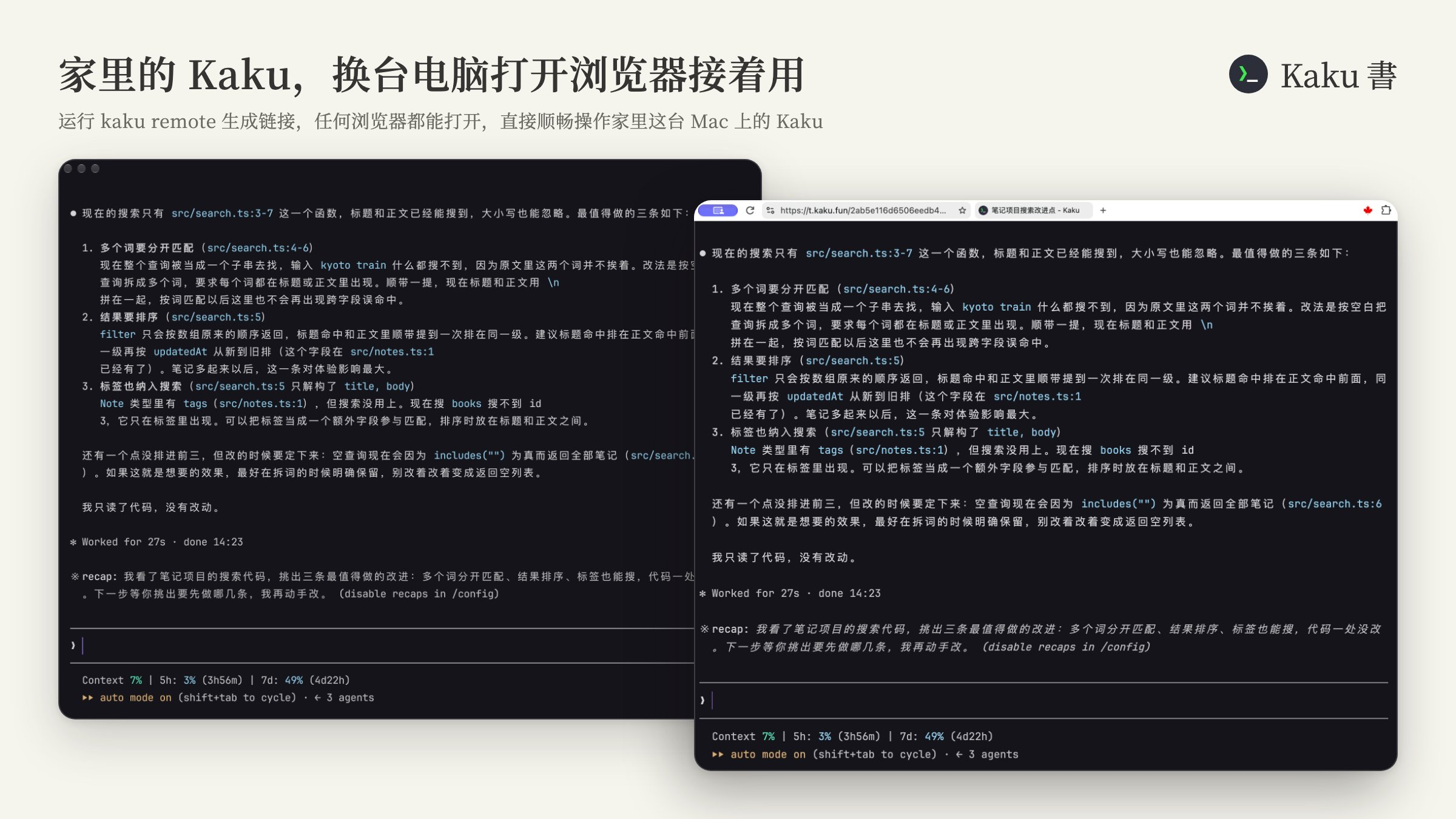
Kaku now supports remote use on the web
https://kaku.fun
A handy feature just shipped. Run kaku remote in Kaku on your Mac and it generates a link. On another computer or a tablet, open it in any browser and you can smoothly drive the Kaku on your Mac at home. I especially recommend making the browser full screen too. It’s a great fit when you have a capable Mac at home and want to use it while you’re out.
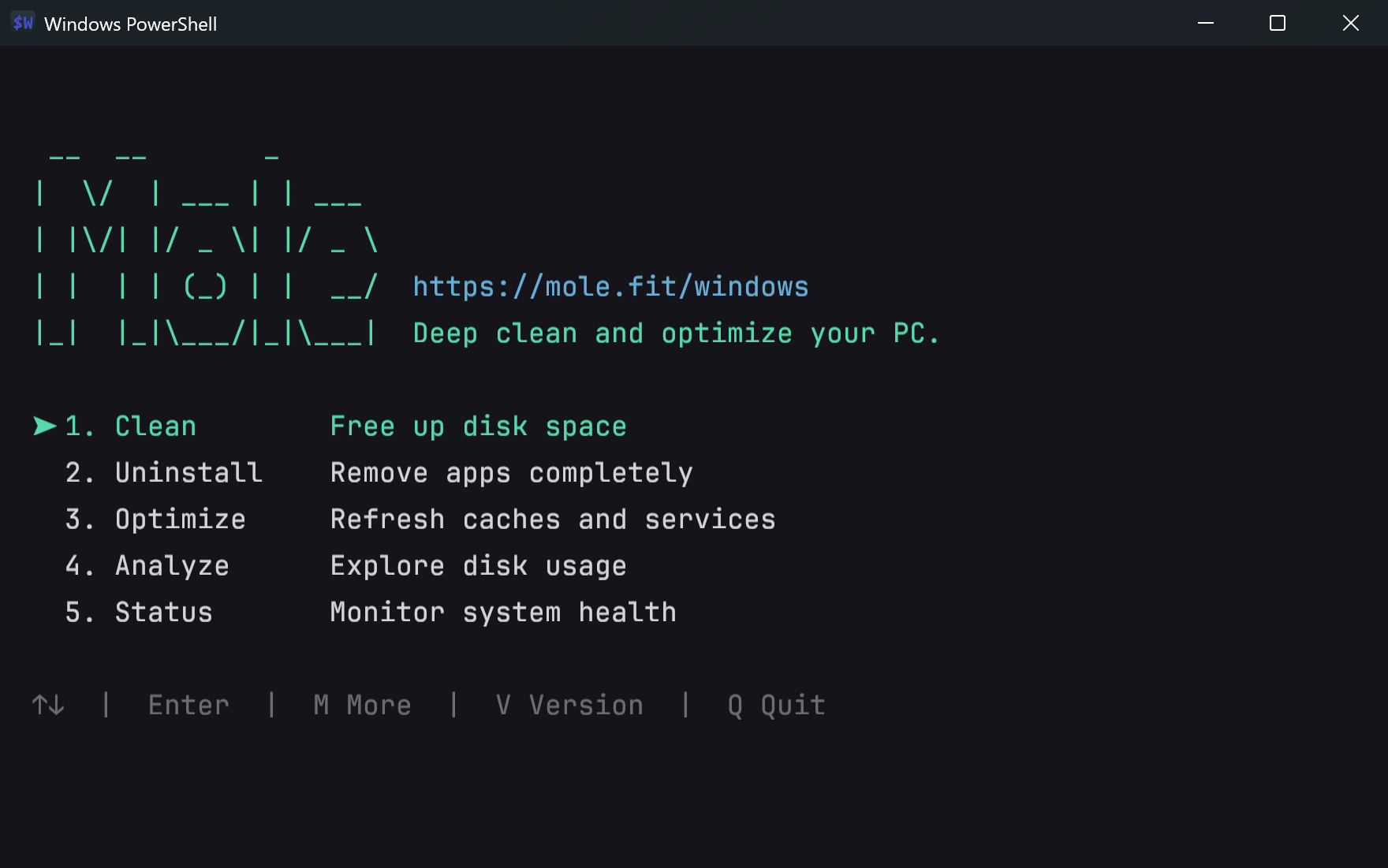
The open-source Mole CLI has picked up a lot of great features lately
https://github.com/tw93/Mole/
I figured I’d roll them up and tell you all at once. It keeps getting better, and I’m really happy that it has reached 72.5K Stars in what feels like no time!
First of all, after 7 intense releases in a row, the Windows CLI picked up a huge number of features and is finally, finally on par with the Mac version. It has a real stable release now and has also brought over most of the features from the original GUI version. If you have a Windows machine, you can even install it with just scoop install mole.
Next, finally, finally, Mole CLI has official Skills, for both Mac and Windows. Just tell any of your Agents “Install Mole for me by reading https://raw.githubusercontent.com/tw93/Mole/main/llms.txt” and that’s it, very convenient. Then you and your Agent can clean up and maintain your computer together, including uninstalling apps.
Then, there’s a fun feature: mo slim strips the Intel code out of universal apps, a very direct way to get rid of even more stuff you don’t need. You’re very welcome to try it.
Finally, Mole CLI now also carries the general uninstall and cleanup rules from the 800-plus Mac apps I tested by hand while building the App, plus the rules from testing 400-plus apps on Windows, all available to everyone. I’ve always seen the CLI and the GUI as two different forms of the same product. The GUI can do many good things the CLI can’t, but the CLI wins on simplicity and works well with Agents, so treating them equally is better. I’ll keep polishing both together, to make the best system maintenance and optimization tool for Mac and Windows!
Random Thoughts
You Don’t Know Client Development: Stack, Native, Platforms, and Borrowing
https://tw93.fun/en/2026-10-22/desktop.html
I noticed quite a few people are curious how I use a Mac to build Windows software, and what tech stacks Windows software is usually built with these days. I happened to have some time, so here’s a casual chat about choosing technology across multiple clients in the AI era, and some of my thoughts.

I recently picked up a really good habit, which I’d like to call resetting
Every time it’s nearly evening and you get back from outside, the very first thing to do is brush your teeth and take a shower. Get yourself clean, dry your hair, put on fresh clothes, and only then go do your own things.
Say you get home at 7 and you’re out of the shower by 7:30. The time from then until bedtime feels really fresh, like a brand-new start. Your mindset and your mood will be completely different. Especially for office workers, going straight home after work and showering right away washes off a lot of that “work vibe”.
That’s why it feels a lot like a reset in large models. So I have another habit too: the first thing I do every morning is brush my teeth and wash my face, then make a cup of tea to welcome the new day.
At that moment you feel especially, especially good, with a strong sense of freshness, like “oh, the day has finally arrived”. It gives your mood and your body a kind of “time to start working” ritual.
I really recommend not picking up your phone first at that point, but doing these two things right after you get up. Then have breakfast and start working, or skip breakfast for now, work for a while, and eat when it’s time. Either is fine.
Likewise, when you’ve been sitting for a long time, you can get up and walk around, make a cup of tea, a drink or a coffee, or go to the bathroom and wash your hands, that kind of thing. It gives your long stretch of focus a reset, and when you come back you’ll feel great.
Over longer stretches of time, a home works the same way.
For example, every 20 days or so I have a few cleaners come over and tidy the place up until it’s really clean, which is like giving the home a reset too. Throw away or sell secondhand the things you don’t use in time. And when the seasons change, sort through your old clothes once, throw out what you don’t want, or buy a few new things. That’s a good kind of reset too.
Changing your duvet and duvet cover often is also a way to reset. You’ll find that the first night after changing them, getting into bed feels really great.
Maybe life is like this as well. Every so often you need to quickly reset the things you’ve been doing for a long time, or the things that have started to wear you out, and then start over. It’s like washing off the dust, and your state of mind when you start doing things again will be so much better.
If you’ve stayed in one place for a long time, you can go to a city a bit farther away and spend a night in a nice hotel, or find a nicer place to play and rest for a while. That’s also a way to reset your surroundings.
That’s roughly what I mean, and I’m not sure I’ve put it clearly. It’s really about resetting the things that have been going on for a long time as much as you can, so that when you come back to them, they feel especially new.
Some advice for people with a lot of followers
If you want to build your own indie products in the future, I wouldn’t really recommend taking sponsored posts. For one, it may be something your future users won’t like. For another, it can make you feel that being a content creator brings in money faster, and then you may not be able to keep going with indie development.
If you want to become a better content creator, which is actually very hard work, then I’d strongly recommend really trying the product when you take a sponsored post, so that what your audience sees matches what you experienced. Turn down deals that don’t match the facts, or help the sponsor improve the product before you post.
You’ll surely keep posting good content as usual with some sponsored posts mixed in, but if even once a sponsored post turns out very different from what users actually experience, your followers will feel you lied to them. After that, a lot of people will suspect that even your non-sponsored good content might be sponsored. First impressions stick very easily, and they’ll simply stop reading.
After all, we ourselves are users of all kinds of products, followers, and people being followed.
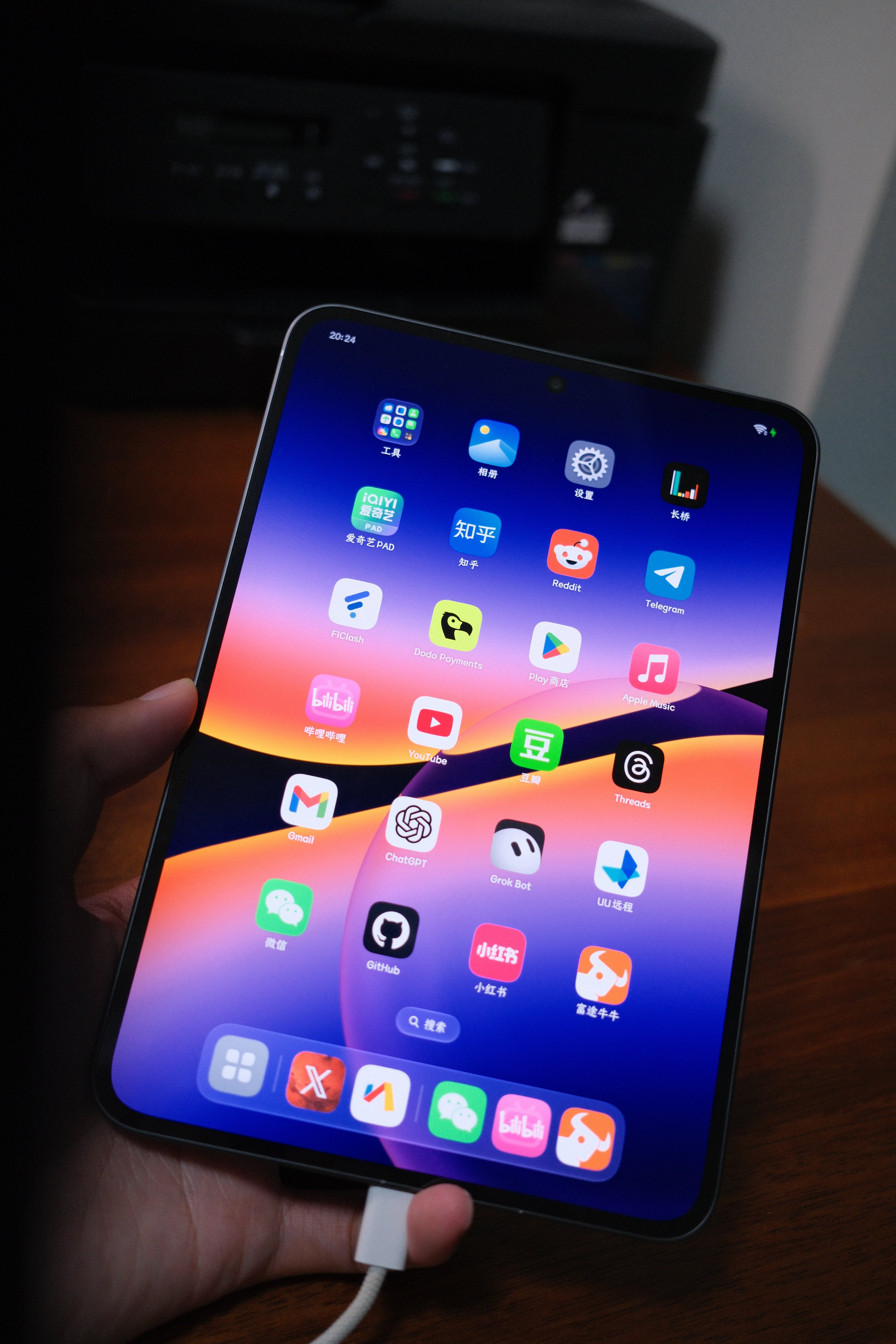
A few sentences got rid of the system ads, useless notifications and junk icons on my small Android tablet
I just did something very simple but useful: with a few sentences I got rid of all the system ads, useless notifications, junk icons and useless preinstalled apps on my small Android tablet. It’s great for when you’ve just bought an Android phone or tablet, or for tuning up a family member’s phone. My small Android tablet is now really clean.
First connect the Android device to your Mac with its own cable, then give this prompt I’ve polished to your Claude or Codex, and just wait for it to do the work.
Connect to my Android phone or tablet through the computer, identify the brand, system version and installed apps, and do one round of optimization to reduce ads and interruptions for me.

1. Turn off ads and promotions
Check the ad tracking, personalized ads, content recommendations, trending news, marketing offers, perks campaigns and feature promotions that can be turned off in the system and apps, including entry points such as the minus-one screen, system search, lock screen, browser and app store.

2. Keep useful notifications
Prefer turning off promotions by notification category. Keep chats, email, orders and deliveries, payments, account security, calendar, weather alerts, system updates, and AI replies and task-completion alerts. Don't turn off an app's notifications wholesale; keep anything whose purpose is unclear for now, and don't turn on anything that was originally off.

3. Replace marketing icons
Replace icons with promotional text or holiday and anniversary decorations with clean classic icons, for example Taobao, JD, Pinduoduo and Bilibili. Prefer the system's own icon settings; on OPPO/ColorOS check "Settings > Home screen, lock screen & personalization > Icons > ART+ icons". For other brands, verify support first, and don't blindly install icon packs or change the launcher.

4. Trim system settings and preinstalled apps
Turn off promotional entry points and user experience programs that aren't needed. Take stock of preinstalled apps; for apps that are clearly unneeded, can be safely disabled and can be restored, prefer disabling them. Before uninstalling, list the names and the impact for me to confirm. Don't delete anything just because it hasn't been used recently, and don't touch basic services such as the system launcher, updates, security, the installer, accounts, backup and device connectivity.

5. Tidy up the home screen
Based on recent usage, suggest which apps stay on the home screen or dock, and which go into folders such as Shopping, Tools and Media. Give a concrete layout first, and only move things after I confirm.

You can directly carry out ad and notification setting changes that are clear and reversible. Don't clear app data or change proxy or network settings. Verify that each change took effect, and at the end briefly list what was changed, what was kept and what couldn't be handled. Don't describe turning off ad tracking as having removed all ads.