 265. Xixi Window View 中

The cover photo is from lunch at Yueya in Xixi Wetland one noon this week. I had not been there in a long time. The place still feels great. The sun was out, short sleeves felt just right, and I took this shot outside the window. Spring moves fast.
Recording down-to-earth trending tech I see every week, filtered and published here. Follow this weekly newsletter to get update notifications
Talking About Waza’s Design Ideas
I want to write a few pieces introducing the implementation references behind some interesting skills in Waza. Last week I wrote one every morning, so I am collecting them here for everyone.
https://github.com/tw93/waza

Introducing the /design Skill
I really dislike those AI-generated websites that all look the same, often with emoji and blue-purple gradients. They look ugly to me. Usable, sure, but that is about it.
So I asked Claude Code to study my tuning notes from all the UI websites I have built recently. It produced a basic set of what I consider best practices and anti-patterns. That became the initial shape. Then I learned the useful parts from the Claude frontend design skill, and a pattern basically came together.
For concrete rules, I learned quite a bit from pbakaus/impeccable. It contributed many specific rules for me, including banned font lists, color systems, theme styles, forbidden CSS patterns, animation standards, and more. These help give AI some aesthetic knowledge.
Then I took a capability from getdesign: a nine-part scaffold structure originally from Google Stitch. I simplified it and folded it into /design. At that point, the skill had a proper knowledge system.
Finally, when I ask you to use this skill, it first asks a few questions: who will use it, what aesthetic direction to choose, what you want users to remember from the page, what you dislike most, and what kind of signature micro-interaction the page should have. With this important context plus /design, Claude Code often gets much better results.
How I Designed the /check Code Review Skill
First, we need to understand that when a model says it is done, it may not actually be done. It may have left behind nonexistent things or problematic details, and issues often stay hidden. In Agent design, my engineering experience is to give the model a checklist to verify whether the work is truly complete. This tends to work far better than simply asking it to check the result.
From the beginning, /check was not designed as one big all-in-one reviewer. It is an orchestration and division-of-labor system. SKILL.md is the lead reviewer, responsible for review levels and process control. Under agents/, there are independent security and architecture reviewers. Each handles its own area without interfering with the others. Which reviewer gets pulled in, and when, is decided by activation rules rather than the keyword matching people usually use.
The level logic is also interesting. Code changes under 100 lines get a fast review. Changes between 100 and 500 lines bring in experts as needed. Changes above 500 lines bring in the full set, followed by a round of adversarial testing. The adversarial testing looks for problems from four angles: violated assumptions, possible issues under combined failures, errors across parent-child chains, abuse scenarios, and so on.
The issues found are handled in four levels. Things that can be safely fixed are fixed directly. Things that are probably right but need confirmation are packaged up for you to approve manually. Things that require judgment are asked about. Reference-only items are also reported, but it will not ask you about every tiny issue, and it will not overstep by changing behavior logic for you.
There is also a hard requirement: if verification has not finished, the task is not complete. It includes a detection script that can identify project types such as Cargo, TypeScript, and Python, then run the relevant tests. If it cannot detect the project type, it reports an error directly instead of pretending everything passed.
This makes it feel more like an experienced technical expert applying review judgment to different situations. I happened to distill that experience into Waza’s /check skill in a very simple way.
How I Designed the /think Skill
This is already the third part of the Waza skill design notes. Today I want to share how I designed /think, the skill used for planning before writing code.
I have two very interesting settings when using Claude Code. The first is /model opusplan, which means planning uses the strongest Opus model by default, while execution uses the regular Sonnet model. This helps save my Max quota for places where it matters more.
The second is that I usually run Claude Code with the alias c="claude --dangerously-skip-permissions". I do not recommend this for technical beginners. I use it because I know what it is doing, and mainly because I am lazy.
Back to the main topic: how does /think help the strongest model perform better? It starts with the model itself. Models do not like taking a position, but I prefer engineers who can take a position and recommend the best plan. So the first thing I did was require the model to state its position at the beginning, explain what evidence could overturn that position, and explicitly ban correct but useless filler like “There are many ways to think about this”. Giving 2 or 3 options is fine, but there must be a clear recommendation, and it must include a minimal option.
A plan is not done just because it has been thought up. The second step asks it to argue against itself: under what conditions would this plan fail? If the issue can be fixed, it adds the fix back into the plan and presents it again. If the issue breaks the plan outright, it directly explains when and why the plan does not work. At least the plan you receive is one you understand clearly.
It also checks assumptions carefully. First, confirm whether the target directory and code location are correct. I have actually seen it produce a plan against the wrong path. Then it checks old technical design documents to avoid reinventing things. Then it searches GitHub to see whether others have handled similar problems. Only after these three steps does it start thinking about solutions, so the plan is not built on a wrong premise from the start.
There is also complexity grading. If more than 8 files are involved or a new service is added, it clearly states the scale. If more than 3 components exchange data, it draws an ASCII diagram to look for cycles. All API keys and third-party dependencies are listed during the planning stage, preventing wasted work and unreliable plans.
Finally, there is a hard rule: the plan cannot contain TBD, TODO, “leave it for later”, or “similar to step N”. This goes back to AI’s behavior. If you leave these openings, execution can easily miss things or improvise too much. Do not give AI any escape route that can lead to poor results.
The output format is also defined: what to do, what not to do, which option was chosen and why, 3 to 5 decision points, and explicit unknowns. /think never writes code. It waits for user approval before execution.
When I designed the Think skill, I was also using my idea of how a good technical expert writes a technical plan: detailed analysis and research, a decisive best plan, no loose ends, and immediate plan refinement when challenged.
Talking About the /hunt Skill for Engineers
This is finally part 4 of the Waza skill design notes. After this, it is almost complete, because the other two, /read and /learn, were already briefly covered before. This time I will continue with the engineering skills and talk about /hunt, which is the skill for debugging and investigating problems.
One major difference between superficial AI coding and serious AI coding is visible in how users use AI to investigate problems that have stayed unsolved for a long time. The troubleshooting process shows a clear gap. This is also why experienced engineers can use AI to solve much more complex problems than people who understand less about technology.
I often ran into this before: Claude Code hits a problem and fixes it with a patch. You say it is wrong, so it gives you another patch. After 4 or 5 rounds, new problems appear. It is easy to keep patching without diagnosing the actual issue, much like junior developers did before AI.
The core rule of /hunt is interesting: before AI can state the root cause in one sentence, it is not allowed to touch the code. That sentence also has a precision requirement. It needs to clearly explain the cause.
Then I designed a self-deception checklist to prevent the model from falling into several common patterns of self-justifying thinking. Each pattern has matching rules, and the gotchas include real cases. I summarize and abstract this again based on issues I ran into while debugging over the past month.
The hypothesis verification stage also has concrete work requirements. For example, add a fresh observation method, teach AI to add logs, add assertions, or run a minimal failing test case. If there are still problems after the fix, it should immediately switch plans. It organizes what it checked, which directions it investigated, and what remains unknown into a handoff for the user to decide how to continue, instead of trying endlessly.
The output also guides AI to include the root cause at file:line, what changed at file:line, what evidence confirms the fix, and which tests passed. The final state has three options: resolved, resolved with caveats, or blocked.
You can see that /hunt behaves like an experienced technical expert. When it hits a problem, it does not guess. It slows down, looks for where the problem is, diagnoses the cause clearly, and then fixes it in one pass. This often saves a lot of time.
Things to Browse
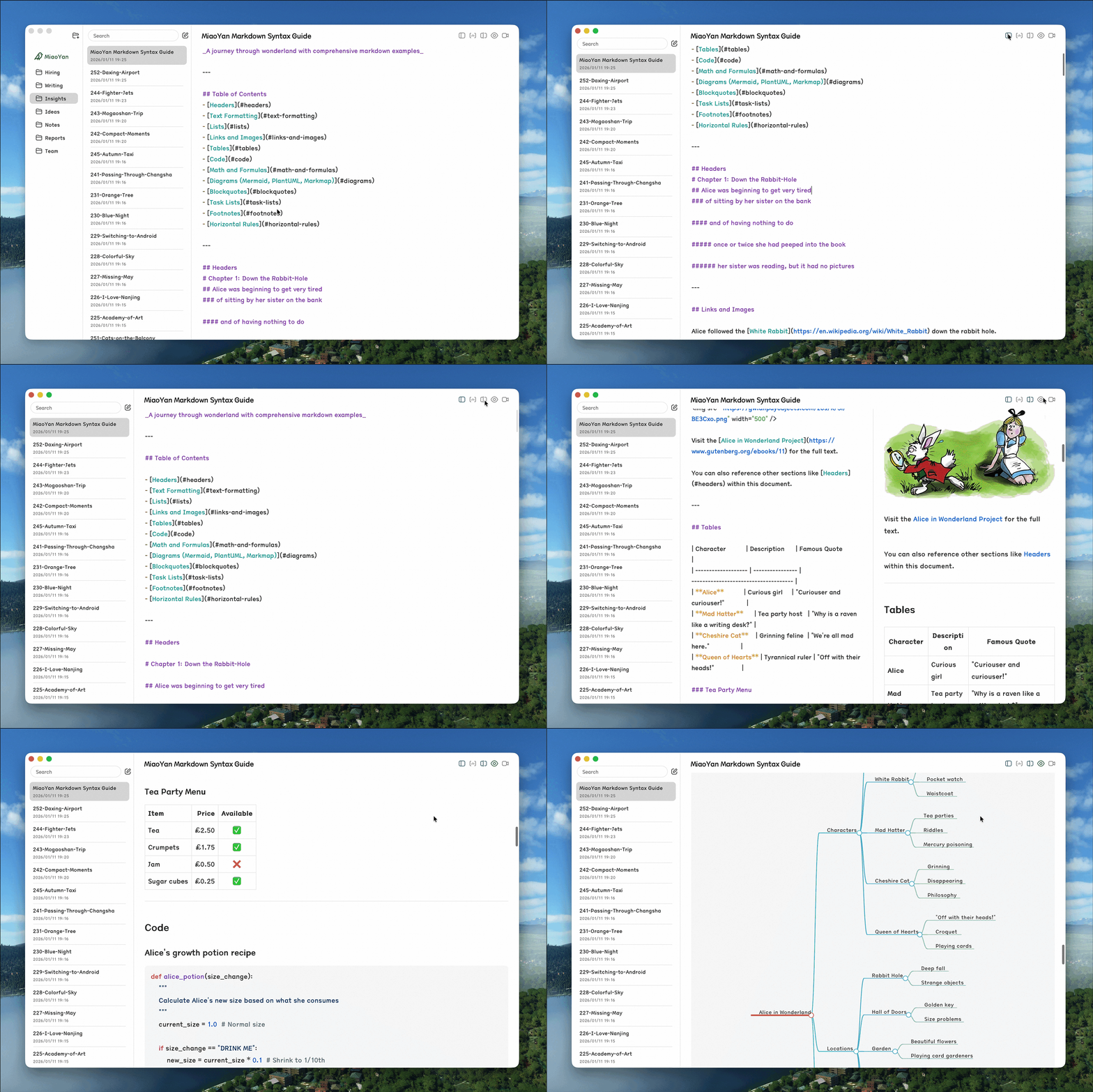
MiaoYan released version 3.2.0, Nargacuga
http://github.com/tw93/MiaoYan
- Faster preview: two-stage rendering shows text immediately, while local images lazy-load in the background. This noticeably reduces the wait for the first preview screen.
- Terminal shortcut: added Cmd+J as a global shortcut to open the terminal for the current folder anytime. The folder right-click menu also has the same entry.
- Copy path: right-click any note to copy its full file path directly.
- Spanish localization: complete Spanish translation coverage for menus, settings pages, and system strings.
- Mermaid upgraded to v11.14.0, fixing subgraph edge rendering issues and adding new chart features.
- Real-time reload fix: notes modified by other tools now correctly trigger reloads, including files inside symlinked directories (closes #502).
- Startup and window fixes: opening .md files directly from Finder no longer shows a blank screen. In single-column mode, notes are no longer lost during startup or exit.
- Export and mode switching: fixed blank previews when switching notes, timing issues when exiting PPT presentation mode, export timeout handling errors, and more.
- Concurrency safety: fixed ExportCache data races, security-scoped URL leaks, and note state confusion after async rendering.
Kaku has an interesting feature coming soon. It should ship in a few days
https://github.com/tw93/Kaku
Kaku has been developing an interesting feature recently: a real Agent assistant that can move smoothly inside the terminal. It gradually realizes the quiet Kaku AI idea I mentioned during Chinese New Year, and it also helps me move 100% of my coding work fully into Kaku.
A very convenient context environment, useful CLI tools, models, and a restrained personality make Kaku feel different. It is not cold, and it is not the over-the-top “I have got you” style of GPT either. Kaku AI is positioned as a technically strong, friendly, and concise engineer friend. Once I test it for a few days without bugs, I will release Kaku 0.10 for everyone to try.

My Claude Code Max usage suggestions
First, I add an alias in .zshrc, so every time I press c, it starts dangerous unrestricted mode directly. If you are a beginner, I do not recommend starting this way. Auto mode is enough. Another big suggestion is to set the automatic context window compaction to 400k. Together, the alias below goes into the file, which means the 1m context window starts compacting at 40%. The result feels much better.
alias c='CLAUDE_CODE_AUTO_COMPACT_WINDOW=400000 claude --dangerously-skip-permissions'Then I set /model to opusplan. You can run the hidden command /model opusplan directly inside Claude Code to enable it. If you want it faster, you can turn on /fast, which nicely makes up for the token savings above.
Finally, someone gave me a really good suggestion: when using opusplan, make sure to set showClearContextOnPlanAccept to true in the Claude config file ~/.claude/settings.json. Otherwise, Sonnet can run into serious cache miss issues. Once this is configured, the experience feels much smoother.