# 290. Meeting Li Zhi
> The cover was taken on Saturday at a show in Kuala Lumpur. I finally, finally got to see Li Zhi live, so I have no regrets left. He’s lost quite a bit of weight but is still absolutely amazing, and this was the highest-quality concert I’ve ever been to!
- Issue: 290
- Published: 2026/11/16
- HTML: https://weekly.tw93.fun/en/posts/290
- JSON: https://weekly.tw93.fun/api/en/posts/290.json
- Chinese original: https://weekly.tw93.fun/posts/290.md
---
The cover was taken on Saturday at a show in Kuala Lumpur. I finally, finally got to see Li Zhi live, so I have no regrets left. He's lost quite a bit of weight but is still absolutely amazing, and this was the highest-quality concert I've ever been to!
> **Down-to-earth tech I come across each week, picked out and shared here. Follow the newsletter to get updates.**
## Trending Tools
**How I made Mole a slow product in a fast AI era**
I finally wrote up my third piece on the product development behind Mole. TL;DR: in an age when code is no longer a moat, we need to do more things that don't scale so our products can have their own character. It's like large models lifting every product to 60 by default, so what we used to call a passing grade is now a zero. Feel free to have a look.
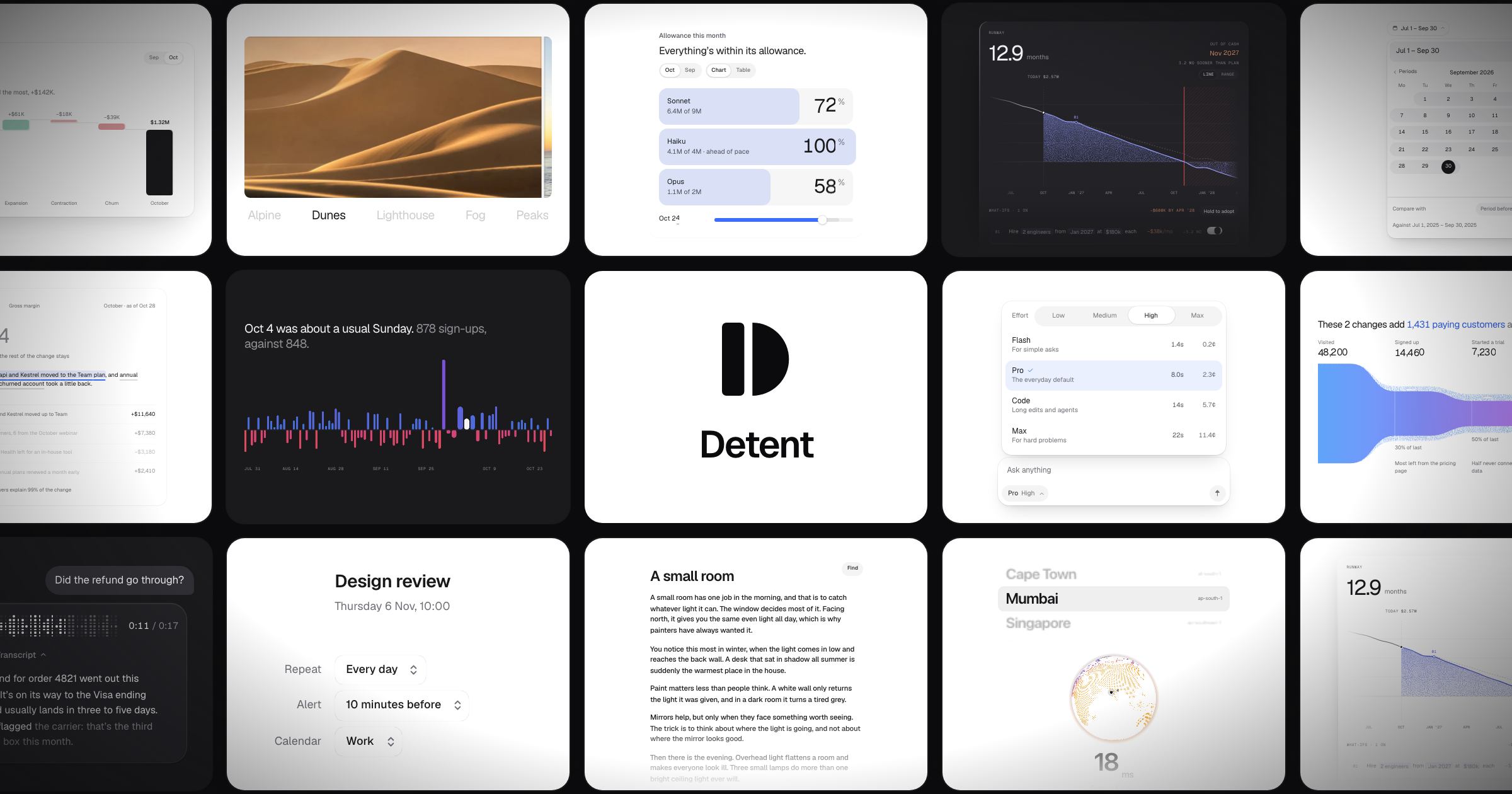
**Detent: a component library that looks nice**
You install it with the shadcn CLI. I looked at the examples on the site and they look pretty good, so if you're interested or have a similar use case, give it a try and see how it works for you.
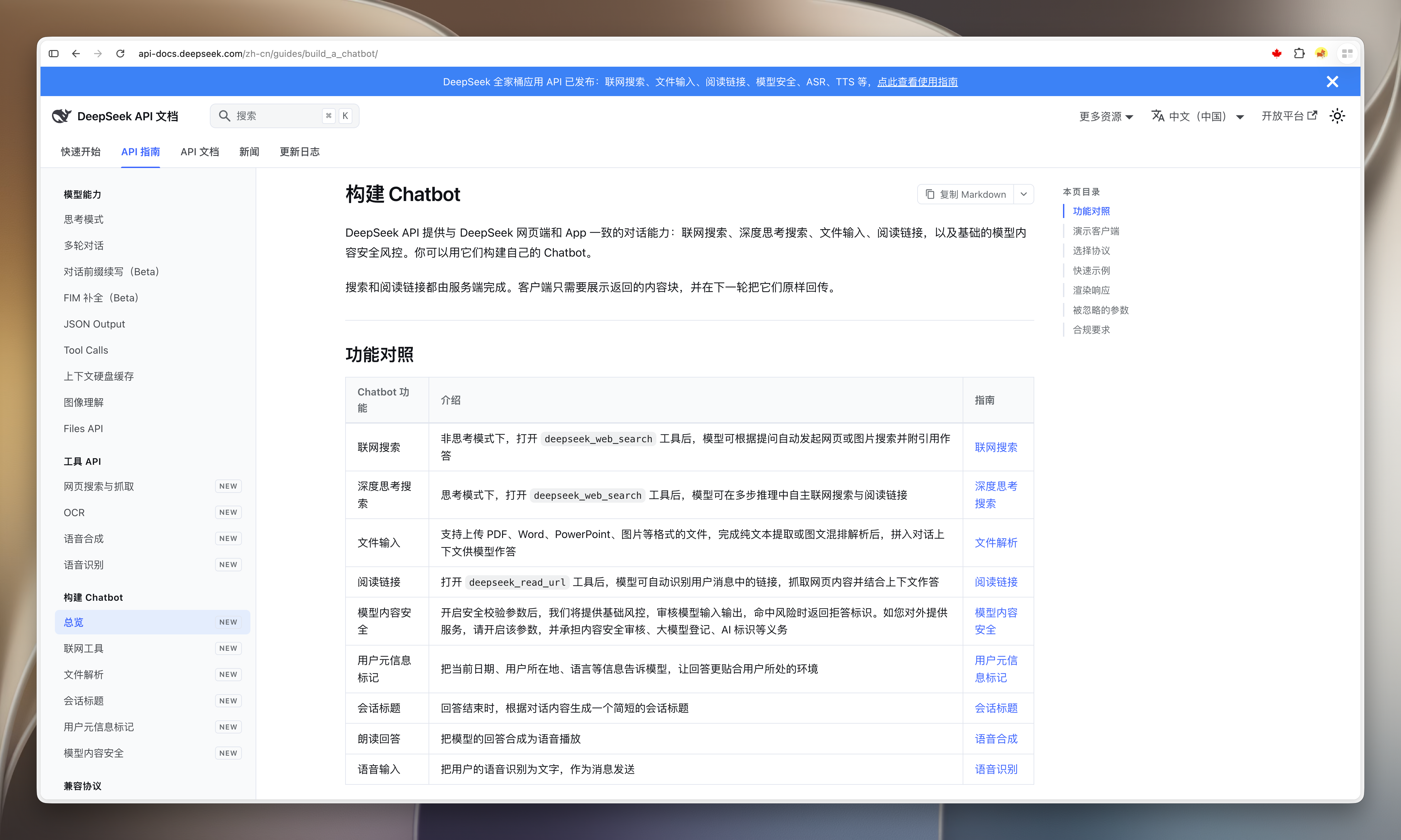
**DeepSeek opens up its whole toolkit as APIs**
This is really generous. Search, fetching, OCR and speech can each be called on their own, which basically splits the capabilities of the web version into APIs. If you want to build an AI chat feature, for example, you can use what's in here. It's not expensive either, it's like they've packaged it all up for you.
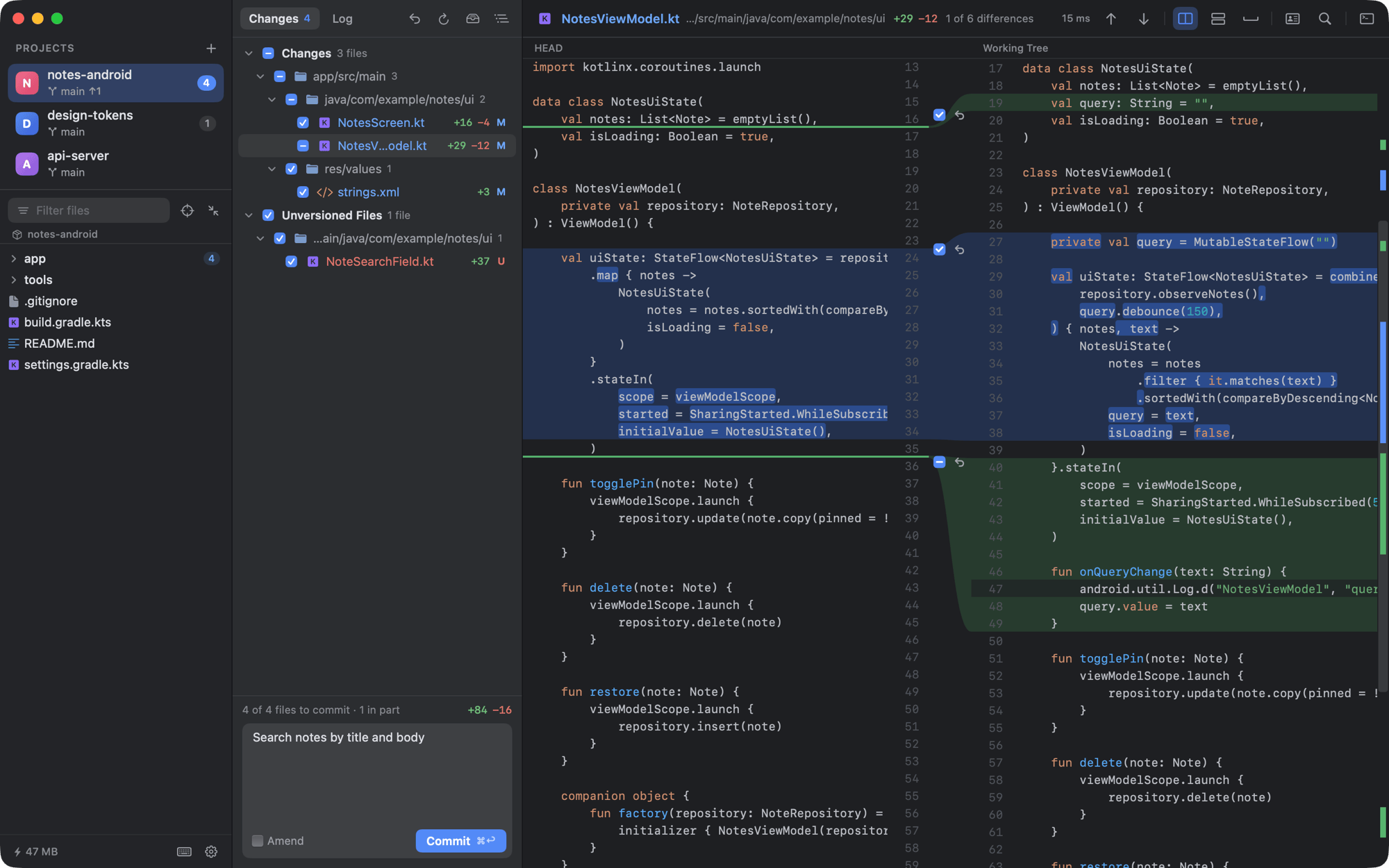
**DiffCode: a native Mac tool for Git diffs and commits**
It seems to be aimed at reviewing the changes an Agent has just written, for when you don't want to open Xcode or VS Code just for that.
## Just Looking Around
**A small trick for when your Mac can't connect to hotel WiFi**
A small trick: when your Mac is on hotel WiFi and the login page doesn't pop up, try typing 1.1.1.1 straight into the browser, then keep browsing and the login page will show up. Why does this work? Hotels usually use a Captive Portal mechanism, so after you connect and before you authenticate, the gateway intercepts all outbound requests. But 1.1.1.1 is the IP of Cloudflare's public DNS server, one that is genuinely reachable, so it gets around the original DNS resolution, and I think it's easy to remember too.
**I can't recommend the TV series "Person of Interest" enough**
I first watched "Person of Interest" 12 years ago. It was really good, and back then it felt very high-tech and magical. I've been rewatching it recently and feel that a lot of it has slowly become reality. Watching it in today's AI era, you really feel drawn in, and I admire some of the director's imagination. Highly recommended, it's my number one American TV series. Highly recommended.
**I bought a new toy, the DJI Osmo Pocket 4P**
I've tried it myself and it works really well. It takes far better photos than my iPhone, the stabilization is great, and the photos and videos look so good they need no touching up, you can post them straight away. I took quite a lot on this trip to Kuala Lumpur, and once I've sorted them I'll share them with you.
---
**I deleted nearly 1/3 of all my Skills**
These past two days I did something interesting: I deleted nearly 1/3 of all my Skills, and also tidied up the context of all my projects. Things feel a lot cleaner and fresher. I think that as models get more and more capable, we should regularly update and trim the context we give models in our projects, so that our own content doesn't end up holding the model back.
So I turned what I did recently into some prompts you can use too. You can hand them straight to your Agent to help trim your project's guidance and Skills. If you've already installed Waza, just update to the latest version and say "help me slim down my rules". You can also copy the content below to your Agent.
Help me slim down the context this project gives the Agent and the Skills I've installed, following the requirements below. First put together a list for me to confirm, and don't change any files before I confirm.
1. First take stock of what gets loaded on every turn, including the root AGENTS.md / CLAUDE.md, global rules, .claude/rules without paths:, and each skill's description, and see how many words each takes. Then look at the parts loaded on demand. A lot of content that looks bloated may not be overwritten, it may just be in the wrong place.
2. Give a treatment for each section, one of five: fix, delete, move, rewrite or keep. For moves, say where it goes. Attach a one-line reason to each, and make it a list for me to confirm.
3. Judge sentence by sentence whether your behavior would change if it were deleted. Delete descriptions like "read before editing", "run the tests" or "watch the edge cases" that you'd do anyway. If you're unsure, keep it for now and check with me.
4. We'd much rather write goals for the Agent and fewer routes for how to get there. Write clearly what done looks like, how it counts as complete and what evidence is needed. If you could still reach the same result another way after a step is deleted, delete it. Keep only steps where the order itself is a constraint, such as verify before publishing or confirm before deleting.
5. Where the same requirement is said three times, replace it with one word you already understand, for example "fast, deterministic, low overhead" can be written as tight. Replace slogans like "be concise" with a more vivid word that's easier to understand, such as "report-speak", then pair it with a set of NO / OK examples.
6. Put each piece in the right place. Things that need judgment go into a skill, things where the same input always gives the same output become scripts or hooks, project commands and release steps go into the project guide, and only cross-project hard constraints go into global rules. Requirements like "read X before doing Y" are better as a hook that injects X when Y happens.
7. A skill description only says what it does, when to use it and what it's not for. Move synonyms to when_to_use, and move content used only in some cases to references. To judge whether a skill is used, look at real invocation records rather than just grepping for its name, and list anything you plan to delete for me to see first.
8. Don't delete any of these:
- My preferences, rejected approaches and why, and the machine environment.
- Pitfalls that don't raise errors, and things that look like errors but are actually normal.
- Half-sentence constraints in descriptions like "never writes" or "doesn't upload".
- Rules for irreversible operations such as deleting data, spending money, publishing, escalating privileges or rewriting pushed history.
- Our dated decision records.
9. Move content to the right place first, then compress it. If a whole line can be moved into an on-demand file, move the whole line, and don't rewrite it while moving. Move rules for irreversible operations as whole sections, unchanged.
10. Some tips for moving content somewhere it loads by itself:
- Rules that can trigger at any time in a conversation, such as committing, publishing, replying and deleting, stay at the root.
- For anything moved into docs/, leave a line at the root saying when to read it.
- Don't create a CLAUDE.md at the root, it makes Claude Code stop reading AGENTS.md.
- Only delete sentences in a project that repeat global rules when every tool I use reads the global rules.
11. Check it yourself after the changes: every glob in paths: must match real files, grep for the old file names that were split out, then list every line that disappeared, and each one must match a deletion I confirmed in the list.
12. Hand it to an Agent that wasn't involved in the slimming to check whether too much was deleted. Give it only the lines that disappeared and the repo, not your conclusions, and have it search for key nouns rather than whole sentences. Restore anything whose meaning can't be found anywhere, exactly as it was.
13. Verify that moved content really gets loaded: bury a passphrase in the new file, open a new session, read a matching file first and then ask it for the passphrase, then read a non-matching file as a reverse check.
14. Once it's all done, help me write up this approach, so that next time a model gets upgraded I can run it again.
---
**Ending with a Li Zhi video, I hope you're happy!**
 The cover was taken on Saturday at a show in Kuala Lumpur. I finally, finally got to see Li Zhi live, so I have no regrets left. He's lost quite a bit of weight but is still absolutely amazing, and this was the highest-quality concert I've ever been to!
> **Down-to-earth tech I come across each week, picked out and shared here. Follow the newsletter to get updates.**
## Trending Tools
**How I made Mole a slow product in a fast AI era**
 **Detent: a component library that looks nice**
 **DeepSeek opens up its whole toolkit as APIs**
 **DiffCode: a native Mac tool for Git diffs and commits**
 ## Just Looking Around
**A small trick for when your Mac can't connect to hotel WiFi**
A small trick: when your Mac is on hotel WiFi and the login page doesn't pop up, try typing 1.1.1.1 straight into the browser, then keep browsing and the login page will show up. Why does this work? Hotels usually use a Captive Portal mechanism, so after you connect and before you authenticate, the gateway intercepts all outbound requests. But 1.1.1.1 is the IP of Cloudflare's public DNS server, one that is genuinely reachable, so it gets around the original DNS resolution, and I think it's easy to remember too.
 **I can't recommend the TV series "Person of Interest" enough**
 **I bought a new toy, the DJI Osmo Pocket 4P**
I've tried it myself and it works really well. It takes far better photos than my iPhone, the stabilization is great, and the photos and videos look so good they need no touching up, you can post them straight away. I took quite a lot on this trip to Kuala Lumpur, and once I've sorted them I'll share them with you.


